Get Expert Support
Connect directly with Adam, the app developer, through our Community Feedback feature
How to Get Support
Need help with the Sausage Calculator app? Use our integrated Community Feedback feature to share ideas, report bugs, and get direct assistance from Adam. Your feedback helps make the app better for everyone!
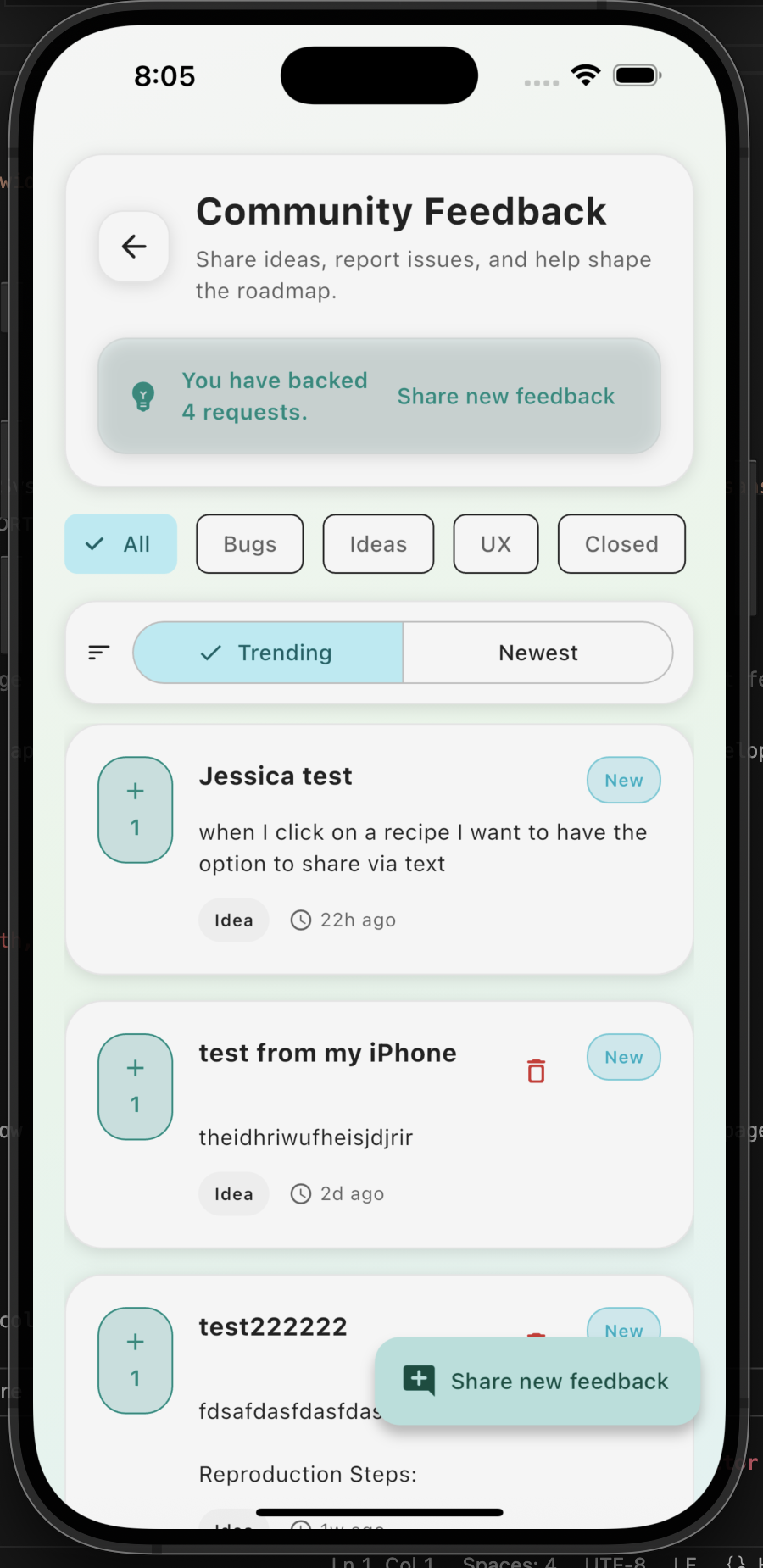
Community Feedback feature in the Sausage Calculator app
Step-by-Step Guide
1
Open the App
Launch the Sausage Calculator app on your iOS or Android device. Make sure you have the latest version installed.
2
Navigate to Community Feedback
Look for "Community Feedback" in the app menu or settings. This feature is available to all users.
3
Browse Existing Feedback
• View trending requests and ideas from other users
• Filter by Bugs, Ideas, UX, or Closed items
• Upvote requests you support (you have 4 votes!)
• Filter by Bugs, Ideas, UX, or Closed items
• Upvote requests you support (you have 4 votes!)
4
Submit Your Feedback
Tap the button to submit your own idea,
bug report, or question directly to Adam.
Pro Tip for Better Support
When contacting support, please include:
- A clear description of your issue or question
- What you were trying to do when the problem occurred
- Your device type (iPhone/Android) and app version
- Screenshots if applicable (you can attach them in the message)
What Can You Submit?
Bug reports and technical issues
Feature ideas and suggestions
UX improvements and design feedback
Questions about calculations and ratios
Recipe management help
Account and sync issues
General app usage questions
Performance and optimization requests
Important Reminder
Make sure you have notifications enabled for the app to receive Adam's response promptly!
Check your device's notification settings if you're not receiving updates.
Additional Resources
While waiting for a response, you can also:
Check for app updates in the App Store/Google Play Store
Review the in-app tutorial for basic features
Browse existing feedback to see if your issue has been addressed